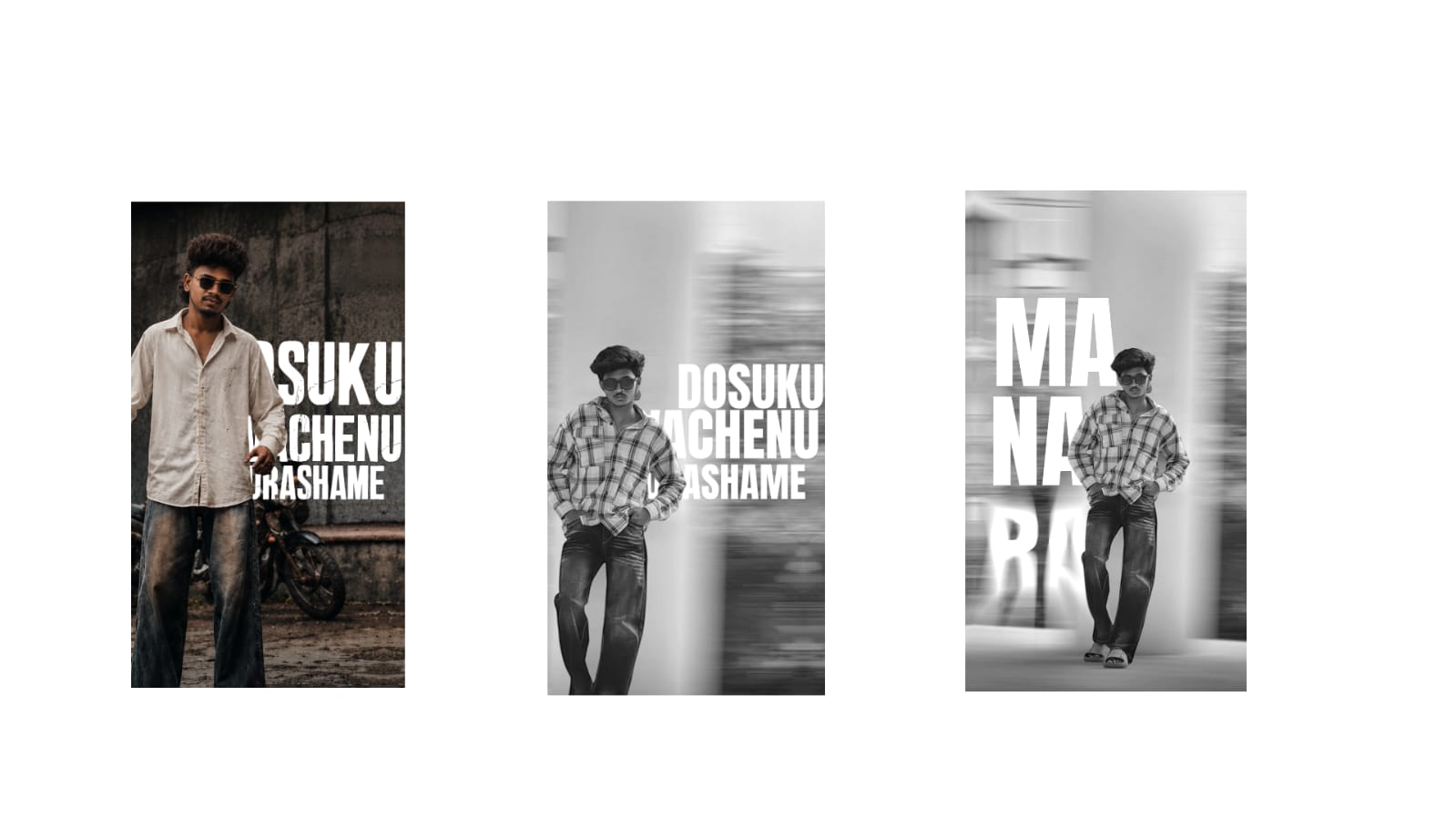
Photo editing has become an important part of modern photography and digital content creation. A good photograph can often become much more attractive with a few thoughtful adjustments. Whether you are editing portraits, product photographs, travel pictures, social media posts, or images for a website, understanding the basics of editing can help you achieve cleaner and more professional results. Modern smartphones and computers offer powerful editing applications, making advanced techniques accessible even to beginners.
Start With a High-Quality Photograph
Good editing begins with a good original image. Before making adjustments, check whether the photograph is properly focused and has enough lighting. A high-quality original gives you more flexibility during editing. Avoid repeatedly saving and compressing the same image because this can reduce detail and introduce unwanted artifacts.
When possible, keep an untouched copy of the original photograph. This allows you to return to the starting point whenever you want to try a different editing style.
Adjust Exposure and Lighting
Exposure is one of the first areas to correct. If an image looks too dark, increasing exposure can make important details easier to see. If it is too bright, reducing exposure can restore balance.
Highlights and shadows provide additional control. Lowering highlights can recover details in bright areas such as skies and white clothing. Increasing shadows can reveal information in darker portions of the photograph. Contrast can then be adjusted to create better separation between light and dark areas.
The goal is not to make every photograph extremely bright. Balanced lighting generally produces a more natural and professional appearance.
Improve Color and White Balance
Color has a major influence on the mood of an image. White balance controls whether the photograph looks warmer or cooler. A warm adjustment can create a comfortable and energetic atmosphere, while cooler tones can produce a calm or dramatic feeling.
Saturation should be increased carefully. Excessive saturation can make colors appear unrealistic, particularly skin tones. Instead, subtle color adjustments often produce better results.
For portraits, maintaining natural skin color is especially important. If the face becomes too orange, red, or pale, reduce the intensity and correct the overall color balance.
Remove Unwanted Distractions
Small distractions can reduce the visual impact of an otherwise excellent photograph. Modern editing applications provide healing, cloning, and object-removal tools that can remove unwanted marks, wires, dust spots, or background objects.
When using these tools, always inspect the edited area afterward. Automatic removal can sometimes create repeated patterns or unnatural textures. Careful manual correction may be necessary, especially when working with detailed backgrounds.
Removing distractions should improve the photograph without changing its original character.
Enhance Portraits Naturally
Portrait editing requires a careful approach. Minor blemishes, temporary marks, and distracting spots can be corrected while keeping natural skin texture visible. Excessive smoothing often makes a face appear artificial.
Eyes can be enhanced slightly by improving clarity and brightness. Teeth whitening can also be useful when applied subtly. Facial reshaping tools should be used carefully because large changes can make the subject look unrealistic.
Good portrait editing should enhance the person’s natural features rather than completely changing them.
Use Cropping to Improve Composition
Cropping is a simple but powerful editing technique. Removing unnecessary areas can immediately direct attention toward the main subject. It can also help prepare an image for different platforms that require specific dimensions.
Straightening tilted horizons is another useful correction. Even a small tilt can make a photograph look less polished. When cropping portraits, consider the position of the subject and leave enough surrounding space to maintain a natural composition.
Apply Sharpening Carefully
Sharpening can improve the appearance of fine details and make an image look clearer. However, excessive sharpening can create bright outlines around objects and make photographs appear harsh.
Texture and clarity adjustments can also enhance detail. These tools work particularly well for landscapes, buildings, products, and clothing. Portraits generally require more subtle adjustments because excessive detail enhancement can emphasize unwanted skin texture.
Noise reduction can help photographs captured in low light, but too much can remove fine details. Finding the right balance between noise reduction and sharpening is essential.
Develop a Consistent Editing Style
If you regularly create content, developing a recognizable editing style can make your photographs look more consistent. This may involve similar color tones, contrast levels, brightness, or overall mood.
Presets can save time when editing multiple photographs. However, presets should not be applied blindly. Lighting conditions vary between photographs, so each image may require small individual adjustments.
A consistent style is especially useful for social media profiles, photography portfolios, online stores, and business websites.
Export Images Correctly
After completing the editing process, choose the appropriate file format and quality. Images intended for websites and social media may need compression to reduce loading times, while photographs intended for printing require higher quality.
Before exporting, inspect the image carefully at full size. Look for unwanted marks, unnatural colors, excessive sharpening, or compression problems. Keeping the original file separately is also recommended.
Conclusion
Professional photo editing is not about adding as many effects as possible. It is about improving an image while maintaining its natural appearance. Exposure correction, color adjustment, distraction removal, portrait enhancement, cropping, sharpening, and consistent styling can significantly improve photographs when used carefully.
With regular practice, anyone can develop a reliable editing workflow. The best edits are often subtle: they improve lighting, colors, composition, and details without making the viewer feel that the photograph has been heavily manipulated.
Full Project
XML file
Song link



