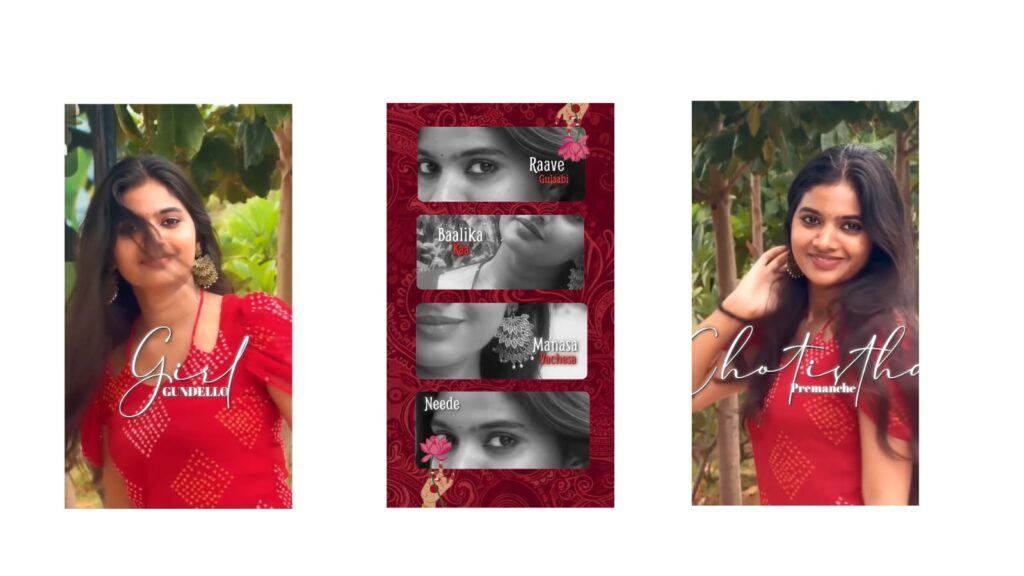
This editing will look very amazing. You will get an idea of why it is so amazing after watching the demo. Now I will play it here, look. I am not playing it with the song, but this is a very good and nice song. I recently did it on one song, and I made it on the same song again because it is trending. It matches perfectly. To be honest, it gives a very fresh feel, looks really good, and will be much better, okay?
First, I will tell you a few things, and you will automatically understand. It will be very easy for you to comprehend, okay? First, I will give you two prompts in the description. I will also explain later why those prompts are needed, okay. And another thing is, if you do not have the Alight Motion app, I will provide it on Telegram. The Telegram link is below, check it out. Since it is very important, go to Telegram and you can easily use the app from there. I won’t talk too much about the app, otherwise, it might cause problems for our channel.
And another important thing—the main thing—is the font. I used only one font in this, so it will be much better, okay? I will put that font in the description; download it and add it to Alight Motion. I have shown how to add it in many videos, so it’s enough if you just remember that, okay.
Now let’s start the editing. First, let’s learn about the prompt. Many people face import issues, right? Should I make a dedicated video on it? Otherwise, what you can do is click on the link in the description below, click on the three dots at the top, and open it via Chrome browser. Open it in Chrome browser and copy that link anyhow. Whichever is the Alight Motion link, copy it and send it to someone on WhatsApp, or send it to yourself. After sending it, if you open that link, it will open up. If it doesn’t open sometimes, you can go to App Info and open it. I am not showing it to you here, but you will get an idea; I don’t need to explain it, okay? It’s enough if you know that.
Okay, first let’s open ChatGPT now. Okay, after opening ChatGPT, I told you that I have given two prompts. Out of those, the first prompt is this one, okay? I will put this prompt in the description. This means on one side there will be a drawing girl, and on the other side, it will be with our photo. This is very nice. The second one is of a similar type, but it is for a single photo. This will be in black and white. I will show it to you here—no, not this one, wait a minute, sorry, brought the wrong one by mistake. Okay, this prompt will be there. I have given both prompts, and since they will be useful to you, install them and keep them. I already gave this in the previous video, and it will be useful now too. Both prompts are below, check them out.
After that, let’s open Alight Motion, okay? After opening, first remove the background of that photo, okay. Look, I have removed the background here, you also remove it. Use the PhotoRoom app to remove the background. After that, open the project I gave you and turn on the camera. At the start, the word “Love” will appear. In place of this “Love”, you can also put a girl’s photo as an example. Here, as an example, I placed this photo, adjusted the size a bit like this, and you can also place it like that. It will look nice. I placed it like this at the beginning, but removed it later because it didn’t look right.
The only reason for keeping the rose here is because it is there for both the girl and the boy, so I continued it. Now, don’t do anything to the girl—the drawing girl. Place your photo in the spot of the main photo. And there is no need to show the entire body, okay? Just show the hands. Since your dress will have color, keep the dress color. After that, here also it’s the same, no need to show everything. You need to show it, meaning you should only show a little bit of the body from the back side. Third, since I gave that prompt earlier, it’s enough if you place that prompt here. And if possible, it will be even better to create two or three poses. That’s it, after that, save it.



