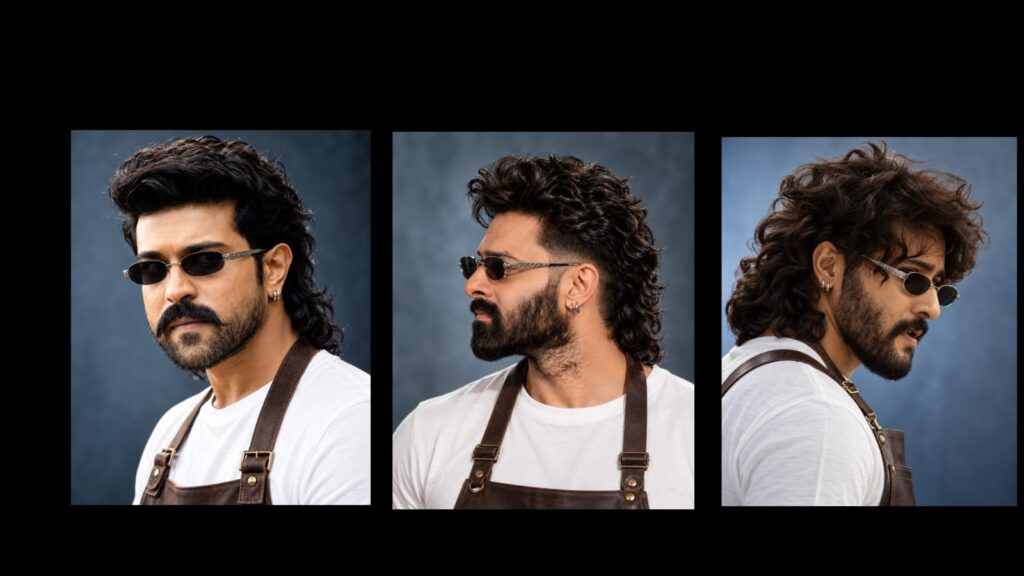
We are going to do a most trending epic editing tutorial now, which is highly popular on mobile. This is a boys’ version of the edit, and it looks really amazing. I will also explain a few details to you first. Please watch, leave a like, and let’s check out the demo video featuring Chandra. You saw the preview video, right? Let me know your thoughts by leaving a comment below.
You can try out different adjustments in this project. I actually intended to finish it much quicker. However, editing usually takes time because you spend a lot of it planning. Deciding where to place each specific photo and background is where most of the creative process happens, but that is completely fine. To make a video in this style, you can combine my techniques with your own ideas and creative thoughts.
If you plan to design this yourself, I highly recommend using the Pinterest app to gather your background images. Pinterest offers a massive variety of backgrounds, but you need to actively search for the exact style you want. Try experimenting with different search terms. Look for layouts depending on whether you want a natural scene, a structured design, an aesthetic layout, or something similar to what I used. Once you select a single design, the app will automatically recommend hundreds of similar choices.
Additionally, you should use the PhotoRoom app to quickly clear out the background from your portrait photos. I have already shared links for the PhotoRoom application on both Telegram and WhatsApp, so you can check them out. Now, let us begin the main editing steps. Believe it or not, I uploaded a matching reel on Instagram using this trending editing style, and the viewer reach was incredibly high. A lot of people requested a dedicated tutorial for it. Following ongoing social media trends is important, and you can even get paid edits if you create them well. Just try uploading this trending style directly to your Instagram profile to see a boost in reach.
As far as I know, nobody else has created a boys’ version for this specific trend yet, so we are the first ones doing it. It looks very stylish. For example, I have used a photo of actor Prabhas for this demonstration. Instead of using just one photo of a single person, you should include pictures of three to four different actors or boys. Posting that type of mix on Instagram will bring you a massive audience reach. I will include the custom font download link in the description box, along with any necessary project materials. There are many assets involved, but since I have already guided you on how to find editing materials, you do not need to worry. Let’s jump into the timeline.
First, we have the eye-shot segment here. Under this eye-shot, you will find a base photo layer. Select this photo, go into the “Color and Fill” settings, and you can swap it with any personal picture that you like best. Using a high-quality picture here looks very effective. For now, I will keep using the current one. Moving forward, take a look at the photo animations. The motion effects are timed perfectly. You can adjust the placement of the layers or move them around to see what fits best. If you dislike any specific animation effect, you can simply remove it, modify the colors, or customize it however you want.
One quick tip when adding your images: try to avoid using simple black-and-white edits. Keep them vibrant and normal instead. If you want a unique feel, you can try using an AI tool to turn your photos into cartoon-style versions first. Having a clean cartoon aesthetic gives these types of reels a much cooler look, so keep that creative option in mind. All the project fonts and links are provided in the video description box. If you run into any trouble or have any questions, leave a comment and I will reply directly to help you out.



