I made this video in only 30 minutes, but this is not just a 30-minute video. When you look at it, you might think it took three or four hours. Let’s look at the demo once. If you like it, please hit the like button. The animation is very good. It is from the movie Panjaa. The song will be like this: “Vadu potu lene leni raju antu undha…” Okay, you have seen the video, right? Let me know how you felt about it in the comments section.
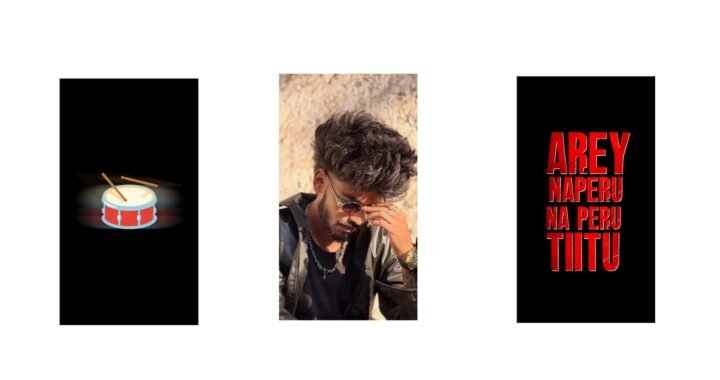
Many people have a doubt, and I will clear that first. I did this video in 30 seconds—I mean, I did it very fast. I recently saw a reel on Instagram. It was a song from the movie Panjaa, the title song, made by Aditya Music. It was a lyrical video, and I liked it very much. That song is trending on Instagram. So, I decided to make a video in that style. In this template, you can also place other people’s photos. The animation is really good. Try placing your photos and see, it will look amazing. Now I will explain the basic concept to you with a short breakdown. This breakdown will be very useful for you, okay? First of all, you need a font for this project. Only one font is used here. You can use multiple fonts if you like, but I have used only one. If you want better fonts, there is a website called “DaFont”, check it out once, okay?
Now I will give you the project file. I am explaining this so you can get an idea of how I made it in 30 minutes. Okay, first let’s open the project. Before opening it, add this font first. If you don’t have the Alight Motion app, I will provide the link in my Telegram channel. You can try it from there. The font is very important. If you face any import issues, use the XML file. However, adding all the background photos might be a problem. So, I have made a separate video addressing the import problem. Watch that video, and it will 100% clear your doubts. Okay, first let’s turn on the camera. After turning it on, I will explain how many layers there are and how I did it, okay? There are a total of 61 layers. One reason I could do this so fast is like I told you before: if we have a thought clear in our mind, we can create anything, okay? A completely new video takes some time to figure out the basic plan. It gets very simple when a client gives a breakdown. I do a lot of paid editing work. I do a lot of edits, but I don’t upload them on Instagram because the clients request me not to. I cannot show them here either. Sometimes, clients provide a reference video.
Other times, they don’t, which takes a bit more time. If there is a reference video, we easily get an idea. An edit that usually takes three to four hours can be finished quickly. If there is no reference video, heavy editing can take up to 10 hours or even a whole day. I am talking about complex editing. I charge for these services. If possible, I will make a dedicated video on how to get clients for editing work. Let me know in the comments, and I will make that dedicated video; it will be very useful for youNow, let’s look at the timeline from the bottom up. This video is very viral on Instagram. If you want to place your photo here, you can do it. First, after adding the camera, I added the moon and attached the car to it. I have explained this car animation in many videos. This moon video animation is very simple and looks very natural. This editing style went viral back then, okay? If you want to put your photo, you can place it here. There are a few similar spots where you can see and place your photos. After that, there are some photos of Pawan Kalyan sir. In those positions, you can replace them with your own photos.
To do this, for example, open the Pinterest app and search for something like “building PNGs”. You will find many types of building PNGs. Download any one of those building PNGs. Then search for “halftone effect backgrounds”. When you search for halftone backgrounds, you will get a lot of options. You can download them. Download them, add our PNG, and use it to create a moon silhouette, or anything else you prefer. Depending on what animation fits your photo perfectly and suits the situation, you can animate it. There is also a bullet animation included, check it out once, you will like it. That’s it! After that, save the video. If you have any doubts, leave a comment. Thank you so much.