InShot is meant for beginners and casual creators. But someone who is stepping into the world of content creation for the very first time will find that its streamlined approach removes the steep learning curve traditionally associated with desktop editing suites. This application bridges the gap between raw, unedited footage and highly engaging social media posts by grouping complex tools into easy, one-tap actions. When you first open the workspace, you are greeted with three primary options: video, photo, and collage. Tapping on the video option allows you to access your device’s native media gallery, where you can multiselect clips, photos, or pre-recorded segments to establish your raw timeline sequence.
Once your core media assets are successfully imported, the layout presents a massive preview screen directly over a centralized action toolbar. This toolbar houses essential post-production features such as trimming, splitting, and aspect ratio canvas adjustments. Canvas scaling is incredibly important for modern cross-platform creators; it allows you to instantly switch your project frame from a 16:9 widescreen YouTube layout to a 9:16 vertical orientation optimized for Instagram Reels, YouTube Shorts, or TikTok. If a video clip contains empty space or dead air at the beginning or end, the split tool lets you segment the video track precisely where your audio signature dips, enabling you to cleanly discard the unwanted portions and keep your pacing tight.
Beyond basic structural cuts, the application excels at adding cinematic layer depth through its dedicated multi-track overlay and sticker features. Selecting the picture-in-picture mode lets you superimpose a secondary video or image on top of your base track, which is perfect for reaction clips, gaming layouts, or integrating b-roll graphics. This layer management is paired with an extensive keyframe layout tool, allowing editors to anchor specific operational paths. By dropping a keyframe at the starting point of an overlay and another at its terminal point, you can change parameters like position, scale, opacity, or rotation over a fixed period, generating smooth customized motion graphics entirely on your mobile phone.
A compelling edit relies heavily on its auditory foundation, which is why the workspace integrates an advanced audio mixing environment. Users can add background tracks from a library of royalty-free music, extract audio from existing videos in their device storage, or use the built-in microphone utility to record crisp voiceovers in real-time. For automated workflows, the platform features localized AI text-to-speech tools that convert typed text layers into multiple vocal profiles, including realistic standard regional accents. To make room for your narration, individual clip volumes can be increased up to two hundred percent, or lowered entirely to ensure clear separation between spoken dialog and environmental backing audio.
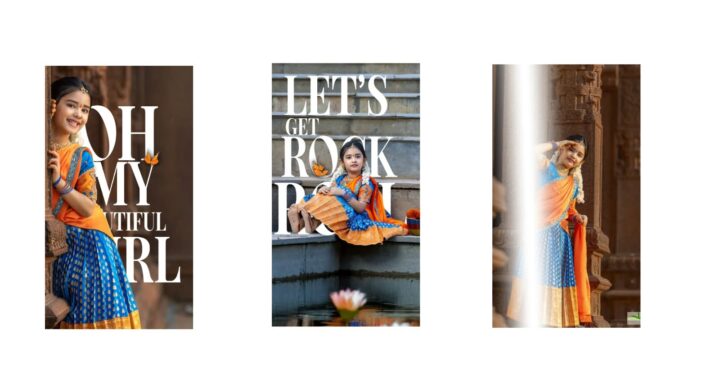
Visual presentation is further enhanced through highly dynamic text overlays and customized typography assets. Creating a text element allows you to choose from hundreds of pre-installed fonts, scale your text boundaries, and adjust text color boundaries or contrast drop shadows to maximize readability over complex background visuals. The software also includes curved text mechanics. By activating the bend slider toolbar, editors can flex their typed rows into dramatic arcs or sweeping patterns, allowing headings to fit nicely alongside curved visual assets or within round sticker frames.
Finally, the master course covers transitional fluid dynamics and color grading adjustments. Sliding two distinct clips side by side unlocks a transition hub, enabling you to choose from basic cuts, dissolves, wipes, or advanced camera movements like glitches, light leaks, and directional zoom blur effects. After applying custom color correction filters to establish a uniform cinematic tone across your project, your timeline is ready for export. The export manager lets you choose your exact processing standards, supporting up to 4K resolutions at a fluid 60 frames per second, ensuring your finalized creation remains perfectly optimized and razor-sharp for digital distribution across global streaming media network