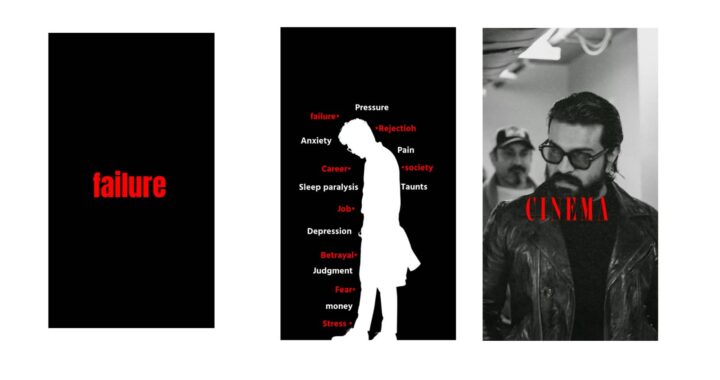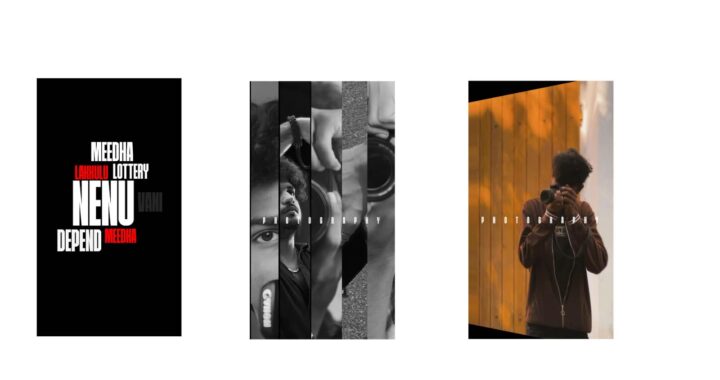
One of these intros was made by my team and the other one was made by Claude. My team took an entire day to make theirs and Claude made its version in 30 minutes, and the craziest part is that Claude picked my best takes, cut out my retakes, and timed every animation to my voice without listening to a single word. Anthropic has launched Claude Opus 5.5 and motion designers on the internet are saying they are cooked. People are making launch videos and shows and saying they did it all in a single prompt, the kind of work we charge thousands of dollars for. By the way, this video till here was also edited by Claude. So in this video, we’ll test it on real-life projects. We’ll turn my raw talking head video like this one into a full YouTube video intro. Second, we’ll see if it can replicate the work of my team who are some of the best motion designers and video editors. And third, we’ll see if it can make a SaaS promo video from scratch. I’ll show you exactly how it works, how much of my weekly limit it used, and how it compares to ChatGPT Astra, which we tested out a couple of weeks back. And if you are a video editor or motion designer and all of this scares you, wait till the end because I’ll tell you honestly what is going to happen next.
So for the first test, I gave it the intro of my YouTube video. If you have seen any of my YouTube videos, you would know that we do SaaS-style animations in our intro for high retention, so I thought that would be a good test. I gave it my raw files, almost 2 minutes of footage with multiple takes, false starts, and a few mistakes as well. Then I opened Claude Code in the Claude desktop app and selected Opus 5.5 on medium effort. I put the footage on desktop and gave it this prompt.
The prompt said basically, “I’m a video editor. I’m uploading the raw recording of an intro for my YouTube video. You need to convert it into a finished edited video mixed with talking head and SaaS-style motion design.” Then I wrote about the footage, the style I want, and the tech specs, basically what will be the final output and how the graphics would work. I also gave it a very specific how-to-work step by step, and along with that I gave it the script. And here’s the part that surprised me the most: Claude can’t directly edit videos, or even view them, or hear my audio in it. It actually told me this itself. Everything it decided about my voice, like which takes were cleaner, where a word starts, and where to cut, came from the transcript. It basically used Whisper to transcribe my voice. It decided where to cut based on the transcript, the loudness of my audio, and frames from the video. Then it found every gap of silence in my recording and split it into 18 small pieces and transcribed each one separately. That’s how it found every single retake.
Now, it’s very important to understand what’s the thinking process behind all of this so that you can create the best videos. To pick the best takes from each line, it checked five things: whether the take was complete, how fast I said it, how loud my voice was, and whether I was looking into the camera or into the laptop. According to that, it selected the best takes and lines. It also made a table with what lines it selected and why it selected them. Then it created a shot list with what it thinks would come for each one. For this one, I did not add a lot of details. I wanted to see what it would create directly, and once done, it created this video: “There’s a new AI model coming out every single week and every week there’s a video telling you that this one is finally the one…” So for this version, I really liked how it was cut. It left a tiny gap before every first word so the sound doesn’t clip, which is very important, and it left a little extra frames after every sentence. It also hid jump cuts under full-screen graphics. Next, every animation is connected to a specific word I say and not to a timestamp, so if I change a cut, all the graphics will move accordingly, which is pretty good for making changes. So my raw footage was 1 minute 43 seconds and the output Claude gave is 33 seconds, which is pretty good, but this still has a very Claude-ish design going on—the icons and the text, all this is very Claude-like.
Now for the changes for the second version, I just gave it Fiverr and YouTube links to replace the placeholders with actual YouTube thumbnails and the YouTube interface. And the best part is that it can go and browse the internet, which means it can go download thumbnails and even study videos frame by frame for inspiration. Before giving me a second version, it went back, checked all the frames once, found a couple of mistakes, fixed them, and then showed me the second version. So my second prompt was fairly simple: “Just incorporate YouTube interface and thumbnails, and when I say marketplace, can you open fiverr.com?” It also asked me if I prefer a light or dark mode for the YouTube interface and I said light mode, and this is the second version. So I really like how it has recreated the YouTube interface directly. If you are a motion designer or if you’re a video editor, you know to recreate an exact template which can be animated like this is a lot of work, and these are very relevant and popular creators so it creates that familiarity as well. I love this animation as well; this is something we also keep doing with our YouTube videos, so it was really cool to see this, and I’ll also tell you exactly how much time and tokens it took to generate all of these.
Now, this was already decent, but I wanted to see how far I can push it design-wise. I still didn’t like the design theme and everything that was going on. I can still say that it’s made by Claude, especially because of the icons and the text here. This is a very Claude-style design. So next, I gave it two very big tasks at once: first, I gave it my team’s edited video for reference, and second, I asked it to create a complete SaaS motion graphic video for my editing agency website. Now, the biggest thing about Claude is that it can work on multiple videos at the same time, so you can just create a new chat on Claude Code and then just input, and it will keep working on multiple videos. Now, to study the reference video that I sent for the YouTube intro, it pulled one frame every second, which is a total of 40 frames, and it went through each one of them. Then it broke down the style the way a motion designer would. It noticed the magenta glow on a black background, the white scenes with a soft pink haze, the fonts, the word-by-word captions with pink highlights, the glass elements, the cursor, the sparkle, and even the pacing. For pacing, it said that it noticed there is a scene change every 1.5 to 3 seconds, which is pretty crazy. By the way, if you think this is crazy, I’m working on a new video where I edit a $300 client project, so make sure you’re subscribed so you don’t miss it.
Next, for the intro video, it built its own little toolkit just like a motion designer builds a template. It made captions that rise up and come into focus for every word, text that reveals letter by letter very similar to how we do it in After Effects, frosted glass panels, glowing edges, the pink haze in the background, and even a cursor with my name on it. The intro was coming out really well. On the other hand, I was really struggling with the SaaS motion design video because it was needing a lot more direction. The first version came out very bright and too much was happening in it, so I didn’t like it. The second one was black with liquid glass and I found it too basic, and the third one had real 3D shapes, but it did not flow and it needed more energy. So the intro video came out really well in just one try, whereas a SaaS motion graphic video took me seven tries.
Now before I show you the final versions, I know this can be a lot. AI is moving really fast, and to keep up, I’m launching a community called Top 1% Creatives where I teach you everything that got me here plus how AI is changing the game for everyone. Inside, you’ll get my AI video editing course from start to end, we’ll have new material every single month on AI workflows, motion design, and even freelancing and how to land clients, along with two live calls with Q&A. If this is something you’re interested in, you can find the link in the description to join the waitlist. And with that, the intro video was ready; total it took 40 minutes for Claude to make this entire video: “There’s a new AI model coming out every single week and every week there’s a video telling you that this one is finally the one that makes you money. I have saved a lot of these videos and I’m sure you have too, but you don’t take any action and the people who actually do are already making money from it. I sell videos to make money and I also run a video editing agency, so I’ll just open the marketplace and I’ll show you what AI videos people are actually selling right now and we’ll recreate them step by step, and I’ll also tell you exactly how much time and tokens it took to generate all of these.”
Whereas the promo, on the other hand, took so many tries. There were so many minor bugs that were happening; I was not happy with the design scheme, the movement, the timing. But you can see it’s really good at going back and reviewing each video frame by frame. You can also review the mood board that it has created. And then I said, “There are multiple glitches in the video, can you review and fix it?” I didn’t tell it what the glitches were, so it just pulled out all the frames from the video and then it was able to identify that there are a total of 14 glitches across 844 frames, and then it went back and fixed it all. And I just asked it to update the first 6 seconds and take only style inspiration for the rest of the video. After that, I just fixed some minor changes here and there, and with that, the video was ready. It also did complete sound design and music, but it sounded very synthetic, so I did not use that version. I still prefer doing my own sound design, just not the way you think.
I still use AI, but my process goes something like this: I imported the final SaaS promo from Claude into Premiere and then opened the Epidemic Sound plugin and loaded the Studio feature. It looks at the video, understands the mood and the pacing, and builds a full sound design in a single click with music, ambience, and sound effects timed to what’s happening on screen. The difference between Claude doing it and me doing it inside Premiere is that I can export everything from Epidemic Sound on my timeline and it’s completely editable. The good part is that every sound effect lands on my timeline as a separate audio track so I can adjust it, swap it, change the volume, or delete something that I don’t like—that sort of control I don’t have on Claude as of now. But the biggest reason I use Epidemic Sound is the licensing: they have over 55,000 premium tracks made by real artists and more than 250,000 sound effects, and all of it is restriction-free, all the rights are included so I can publish my video on YouTube and get paid without worrying about copyright claims. And I can do the same for my clients as well; if I edited a video and my client wants to post it somewhere, I can just use the safelist feature and just safelist their video and they can publish it anywhere. If you want to try it for yourself, the link is in the description. That being said, here’s the final SaaS motion graphic video.
Now, setting it up is pretty simple. You just download the Claude desktop app and open the Claude Code tab, select Opus 5.5 on medium, and you can get started. I am personally on the Claude Max plan, which is close to 9,000 rupees and 11,000 rupees when you add GST. This is very important: for the animations, it uses Remotion, which is a free tool that builds videos from code, so make sure you install Remotion if you have not installed it. I give a complete workflow on how to install it in this video, or you can just ask Claude Code to just install it for you. Next, rendering is very fast; a preview took 21 seconds and a full 1080p render took 30 seconds, so you don’t need a fancy device anymore—even a basic device can do all this work. Now next, usage: this is the most important part. Both projects—the full YouTube intro video with all its versions and the SaaS promo video, so that’s a total of four YouTube versions and eight YouTube promo video versions—took just 2% of the weekly limit. In comparison, when I was using ChatGPT Astra, it took 10% of the weekly limit to just edit a single reel. So with Claude, you can make a lot more videos, but to be fair, they work very differently. Astra was actually clicking around inside Premiere and After Effects, which uses a lot more, whereas Claude writes code and renders everything on your computer, which is a big reason it’s so much cheaper.
Now, which one is better: Claude or GPT-6? If you want AI working inside your computers as of now, GPT-6 is better, whereas if you want motion graphics, Claude Opus 5.5 is on another level. I think very soon we’ll see a model with Opus 5.5 design skills and GPT-6 Astra-style computer control, and that would be really crazy. But still, I think you need some sort of design knowledge or animation knowledge to make good videos because when we saw the first two versions, they were okay, they were not as good, but when I started using design lingo like “use match cuts,” “use animation principles,” the design used to be more like SaaS videos, and we provided the right reference—only then was it able to create a really good video. So what still matters is taste, but we are moving really fast. So if you’re interested, make sure you join the waitlist and we’ll together try to keep up with AI. Again, I’m working on another video where I edit a $300 client project using the same method, which is coming out very crazy, so make sure you subscribe for that.