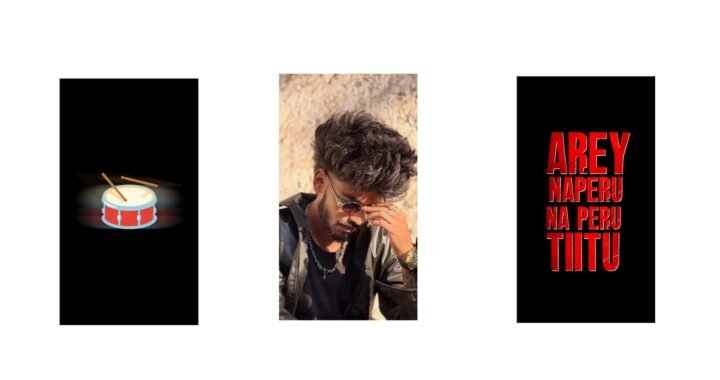
Here I will show two videos. Many people asked me to make these two videos. Editing these two videos is very, very simple and you can do it easily. I actually thought of making just one video, but since many people requested both videos, I will explain it in a way that makes it simple to do. You can easily do it too, okay? Okay, if you can, I have also provided the template in the description, please check it out. But if you watch the entire video, you will like it a lot, so please watch the video completely once. If you like it, you can easily do it, only if you are impressed. I will explain it manually, meaning I will explain it very simply. First, what we need for this is an app to remove the background. Okay, I have given the app link in Telegram, please check it out.
Okay, first let’s make this video that I am showing here, let’s make this video. Second, let’s make this video, I will explain it simply. Okay, I will explain it in three or four minutes, look. What is common in both is that a 4:5 ratio is enough for us, and take a white background or something, take anything. And now let’s add the first song. Okay, I am taking a song. I told you about the first reel, right? I am putting a single photo for that, later I will also talk about the couple one, okay? The song is like this, I am bringing it a little forward. First, what we need is to take two shapes. Okay, here we have the plus icon at the bottom, and the rectangle will be there. Okay, select it and zoom in like this. Zoom in and keep it as long as the song is. Choose your favorite color for this, I will set a light pink color, look. This pink color is here, right? Go into color and bring it to this end, it should just be light, that’s all.
After that, I took another shape, a rectangle. I am placing it with my finger like this, this much. Okay, I am placing it even more. Okay, after placing it, I am moving it to the end. You don’t have to do anything to this, go into the effect option, add effect, there will be an effect called Wave Warp, add it with standard settings. Okay, after that we don’t need standard settings here, here we have Wave… sorry, it says Flag Wave Right, right? Add that. If you add it, it will look like this, or it’s no problem even if you add only the wave effect, meaning there are many presets in it as well. As an example, I am adding this one. Okay, after adding it, this is at the top, right?
Add one keyframe at the starting and video… meaning I am talking about this shape, and add another keyframe at the ending and move it like this, that’s enough. This effect is created for us, and what we need for its color is pure pink color, so you can set pink color or something like light pink color, anything that matches your dress color. Now what we need is our PNG. Okay, I have a PNG with the background removed, I am adding it. It will be a bit like a selfie type. Go into the effect option, go to add effect, here let’s add saturation vibration. After adding it, let’s make the whole saturation black and white. Again, go to the effect option, add contrast… sorry, brightness contrast, open it and increase the contrast a bit, then it will look a bit clean.
Okay, after that let’s put a shadow on it. For the shadow, there is nothing, go to border and shadow, enable shadow, and with your finger, move it to this side and increase the size a bit, reduce the opacity to the maximum, that’s enough. Okay, it feels like this is a bit too much, light… okay, our background and photo are created here. Now I will explain simply, meaning first we need lyrics. Place the lyrics as you like, meaning not just one, you can place it according to another song, right? As an example, I am putting “Nice You”. How do you place the letters? If you want a good look, it will be even better if each letter is separate, okay? As an example, first I added the lyrics entirely, and I also added the photo, look.
I took a shape like this, I will even delete this shape for you. After deleting it, I added our lyrics. I skipped a bit and added the lyrics. Another thing, an eye photo will come on the back side, if you see in the second video. Okay, take a rectangle shape for this, not this one… okay, this one. Okay, let’s add an effect to this, wave. Okay, let’s reduce its size a bit like this. And for this, we need an eye photo, whichever eye it is, it’s no problem even if you put a photo of the person you like. As an example, I am taking a photo, this one… meaning downloaded from Pinterest, placing this photo on it, bringing it under this, and if you select both, our group is created. Let’s give it a border look. Okay, let’s set a black color. If we bring this under our photo, whichever candidate photo it is, now it’s enough, our lyric and this are set. Now you can add camera movement to this, go into object element, there is nothing to it, just add keyframes as you like, from where it should move, how it should move, it’s just about moving it like this, this editing is very simple. Okay, and to talk about the second video, it will be even simpler than that. Nothing, let’s take the same ratio. Okay, and now let’s add the song, this is very simple.
Okay, first let’s take a rectangle shape and place it on one side, since one will be white, and take pure pink… not pure, take a light pink. Okay, now we need a PNG of one person and another person, so you add a two-person PNG. One, whoever the couples are, add their two photos. As an example, I am putting the same, and it will be even super if you keep it black and white, okay? Okay, as an example, I need to put a girl’s photo, I will change the color and fill, just a minute. Okay, as an example, I will put these two, nice. Now, on top of this, this portion which is here, is it visible to you? In this portion, you can add lyrics, simple, okay? And if you add those lyrics, your editing will become simple, it will become even simpler, you can add lyrics. After that, another thing, a heart symbol will come at the starting, so take a white shape. Okay, keep it white like this, and take a heart symbol, one. Okay, place it exactly in the center, okay, select these two. Is this option visible? Select it, the heart symbol is done.
And we need to add a keyframe to these two a bit, and move it a little bit at the ending. It won’t look good if both are at the starting, so move it a bit and add a keyframe to both. Meaning both those photos should come from the bottom, it will have a good look only if it comes from the bottom, so it should come from the bottom. Look here, is it visible? Both are coming from the bottom. Go to border and shadow for this, enable shadow, and it’s enough if you apply scale animation to it, this is very simple, look. And both came like this, it will be set if the lyrics come on top, this is a simple process. Otherwise, I have also given the project file in the description, please check it out. If you look at those, you can also try it, that’s all, Jai Hind.